All Ranks in VALORANT
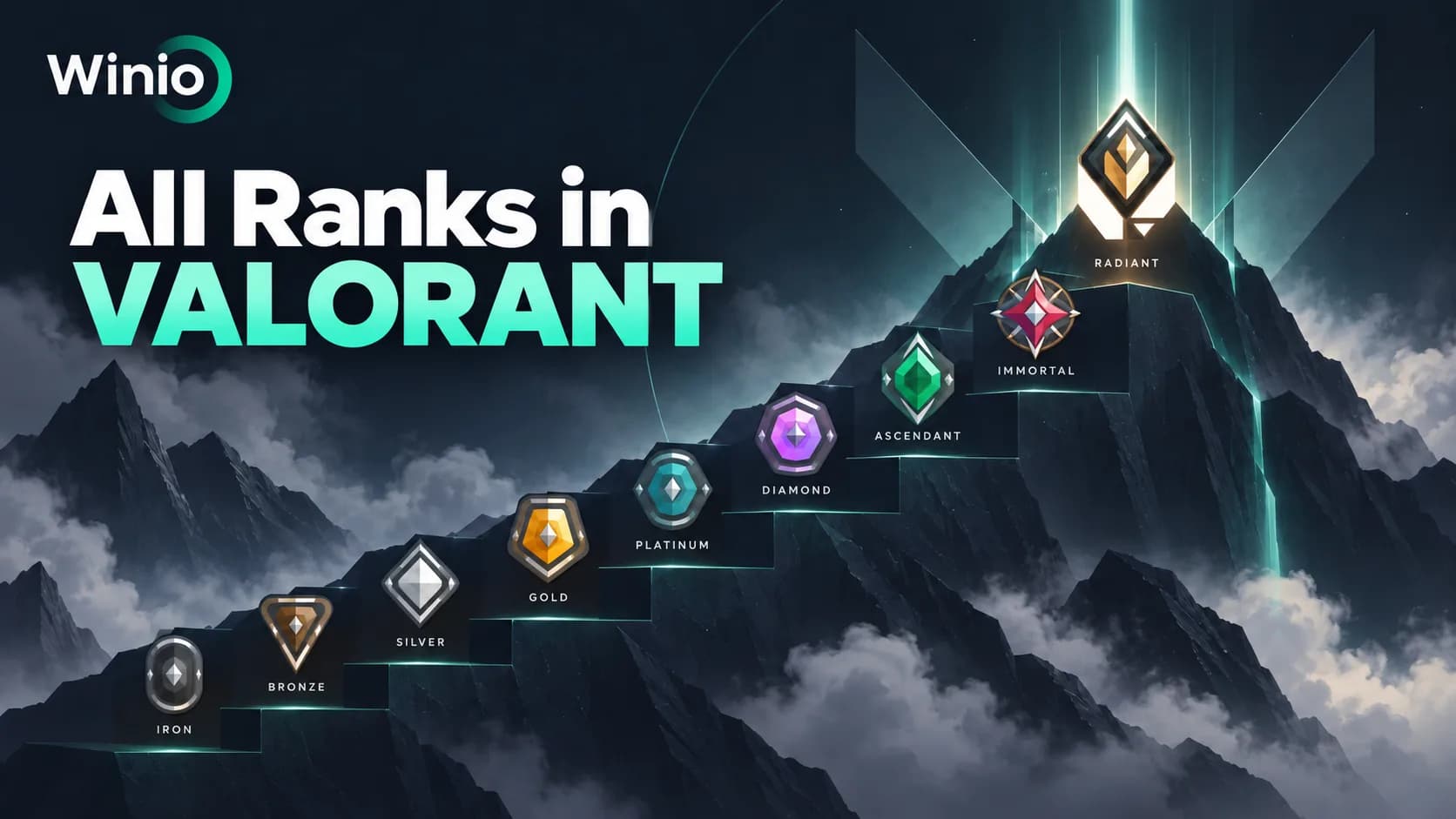
All Valorant ranks from Iron 1 to Radiant, plus placements, RR, MMR, party rules and high-rank progression.
October 1, 202612:37 PM7 min

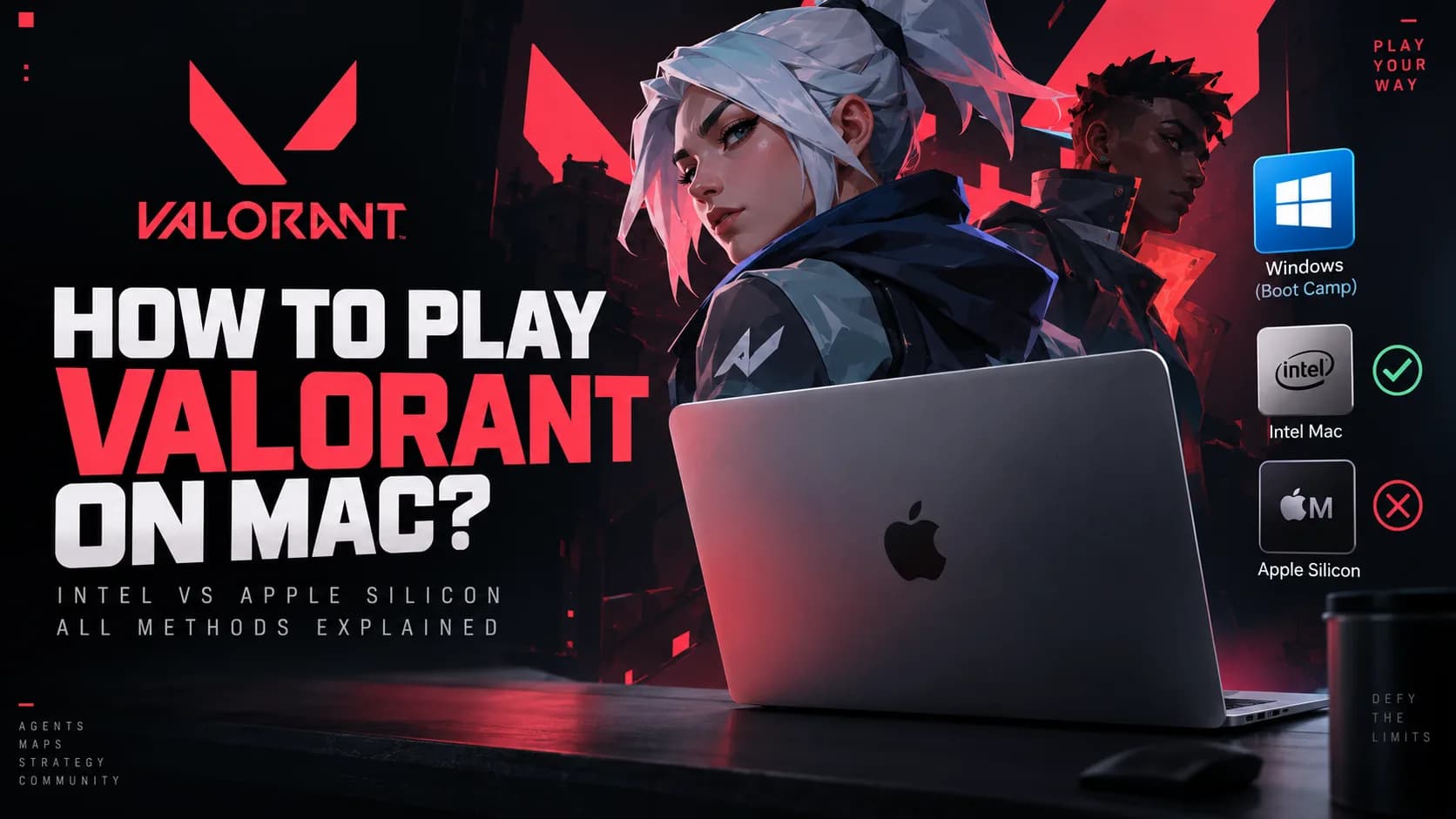
VALORANT does not have a native macOS version, so you cannot simply download the game on a Mac and launch it the way you would on a Windows PC. There is still one route for some older Macs, but it depends entirely on the processor inside your computer.
A compatible Intel-based Mac can install Windows through Apple's Boot Camp Assistant and then run the Windows version of VALORANT. Macs with Apple silicon, including M-series models, do not support Boot Camp, and Riot currently lists ARM processors, virtual machines and cloud gaming as unsupported for VALORANT.
That makes the answer straightforward in 2026: an Intel Mac may be able to play VALORANT through Boot Camp, while an Apple silicon Mac has no supported local method.
Yes, but only in a limited situation. VALORANT itself does not support macOS, so the game must be running inside a supported Windows environment.
Valorant Champions 2026
Tomorrow 12:00
 NRGT1
NRGT1
Prediction: NRG
Valorant Champions 2026
Tomorrow 15:00
 Paper RexLOUD
Prediction: Paper Rex
For compatible Intel Macs, Boot Camp provides that environment by allowing the computer to boot directly into Windows. This is different from running Windows inside a virtual machine such as Parallels or VMware. When you start an Intel Mac through Boot Camp, Windows becomes the operating system running directly on the hardware.
Apple silicon Macs work differently. Apple does not provide Boot Camp for these machines, while Riot currently lists ARM processors as unsupported. Because modern Macs use Apple's ARM-based chips, installing a Windows virtual machine does not solve the VALORANT compatibility problem.
| Mac setup | VALORANT support |
|---|---|
| Compatible Intel Mac with Boot Camp | Possible |
| Intel Mac running macOS | No |
| Apple silicon Mac | No supported local method |
| Parallels | Unsupported |
| VMware Fusion | Unsupported |
| Wine / CrossOver-style compatibility layer | No supported method |
| Cloud gaming | Unsupported by Riot |
Before downloading Windows or changing any settings, identify which processor your Mac has.
Open the Apple menu and go to About This Mac. On an Apple silicon machine, Apple displays a field called Chip followed by the chip name. On an Intel Mac, the same window displays Processor followed by the Intel processor model.
If you see an Apple chip, Boot Camp is not available. If you see an Intel processor, your Mac may support Boot Camp, although you still need to check the exact model and hardware specifications.
This distinction is more important than the age or price of the Mac. A powerful Apple silicon Mac can be significantly faster than an older Intel machine in general workloads, but that does not make it compatible with VALORANT because the limitation is tied to the supported platform, processor architecture and Riot Vanguard.
If you already own a compatible Intel Mac, Boot Camp is the most practical way to run VALORANT locally.
The basic process is:
Once the Mac is booted into Windows, VALORANT is installed in essentially the same way as it would be on a normal Windows PC.
Apple officially documents Boot Camp for Intel-based Macs. Its current compatibility list includes Intel MacBook, MacBook Air, MacBook Pro, Mac mini, iMac, iMac Pro and Mac Pro models from specific generations.
Examples include MacBook Pro models introduced between 2012 and 2020, excluding the M1 model, and Intel MacBook Air models introduced between 2012 and 2020. Intel iMacs from the relevant generations, the iMac Pro and certain Mac mini and Mac Pro models are also supported.
The key point is that having an Intel processor does not automatically guarantee that every Mac configuration will be a good gaming machine. You still need enough graphics performance, memory and storage to meet Riot's requirements.
Apple recommends having at least 64 GB of free storage before installing Windows with Boot Camp, with 128 GB or more providing a better experience.
For VALORANT, using only the minimum is not ideal. The Windows partition needs room for Windows itself, system updates, Apple drivers, Riot Client, Vanguard, VALORANT and temporary files. If your internal SSD has enough capacity, giving Windows significantly more than 64 GB will make the setup easier to maintain.
It is worth planning the partition carefully before installation. A gaming Windows partition that is too small can become frustrating once Windows updates and game files begin consuming additional space.
Open Boot Camp Assistant from the Utilities folder on your Intel Mac. The tool guides you through creating a Windows partition, selecting the Windows installation media and preparing the drivers required for Apple hardware.
Apple currently documents Boot Camp around Windows 10. During setup, Boot Camp creates a separate partition so macOS and Windows remain independent. When the Mac restarts into the Windows installer, select the partition marked BOOTCAMP and follow the installation process.
After Windows starts for the first time, Apple's Boot Camp software installs drivers for hardware such as the graphics adapter, network connection, audio devices, keyboard and trackpad.
From that point, you can switch between Windows and macOS by restarting the Mac and selecting the operating system you want to use.
Do not install VALORANT immediately after reaching the Windows desktop. First complete Windows Update and install any available Boot Camp driver updates. This reduces the chance of running into graphics, network or system compatibility problems later.
Once the system is updated, install Riot Client and VALORANT. Riot Vanguard is installed alongside the game and must be active for VALORANT to launch.
Riot's current PC requirements list Windows 10 64-bit and Windows 11 64-bit, at least 4 GB of RAM and DirectX 11 support. Riot also requires a processor with SSE 4.2 or AVX support and explicitly lists ARM processors as unsupported.
The minimum graphics requirement is relatively modest, but meeting the minimum specification only targets basic playability. Competitive VALORANT benefits heavily from stable frame rates and low input latency, so an older Intel Mac with weak integrated graphics may technically run the game without providing a particularly good experience.
Boot Camp has become a less attractive solution with time.
Apple's official Boot Camp documentation still centers on installing Windows 10, but Microsoft ended standard Windows 10 support on October 14, 2025. Windows 10 continues to function, but ordinary installations no longer receive the standard security updates and technical support that they did before the end-of-support date unless an applicable Extended Security Updates option is used.
At the same time, Apple does not officially position Boot Camp as a Windows 11 installation solution.
This creates an awkward situation in 2026. Riot still lists Windows 10 as a supported VALORANT operating system, but the officially documented Apple route relies on an operating system that Microsoft now considers out of standard support.
For someone who already owns a suitable Intel Mac, Boot Camp can still be useful. However, buying an old Intel Mac specifically to play VALORANT is difficult to recommend as a long-term strategy.
There is currently no supported local method for Apple silicon Macs. The issue is not that these computers lack performance. Modern Apple chips can deliver strong CPU and GPU performance, but VALORANT's PC version requires a software and hardware environment that Apple silicon Macs do not currently provide.
Apple does not offer Boot Camp on Apple silicon. Riot also lists ARM processors as unsupported, while VALORANT does not support virtual machines. That combination blocks the most obvious workarounds. Running Windows for ARM through virtualization gives you neither the supported processor architecture nor the supported non-virtualized environment that Riot specifies for the game. For this reason, the same answer currently applies across M-series Macs: there is no supported way to install and play the PC version of VALORANT locally.
Parallels is a popular way to run Windows applications on a Mac, particularly on Apple silicon, but it is not a supported VALORANT solution. The reason is Riot Vanguard. Parallels runs Windows inside a virtual machine, while Riot explicitly states that VALORANT does not support virtual machines.
Giving the virtual machine more CPU cores or memory does not change that limitation. The obstacle is not simply performance - it is the environment in which the game and its anti-cheat system are running. This is also why advice that works for many other Windows games on Mac does not automatically apply to VALORANT.
VMware Fusion faces the same fundamental problem as Parallels. It can create a Windows virtual machine, but VALORANT's current requirements do not support virtualized systems. As a result, VMware should not be treated as an alternative to Boot Camp for this game.
Boot Camp and virtualization may both appear to be ways of putting Windows on a Mac, but they work differently. Boot Camp starts a compatible Intel Mac directly into Windows. Parallels and VMware keep macOS running while Windows operates as a virtual guest. For Vanguard, that distinction matters.
Compatibility layers such as CrossOver and Wine can make many Windows applications work on macOS without installing a full Windows operating system. They are not a reliable or supported solution for VALORANT.
VALORANT depends on Riot Vanguard rather than only the game executable. Making the game's graphics or Windows API calls compatible with macOS is therefore not enough. Even if a compatibility layer can launch other Windows games successfully, it should not be assumed that VALORANT will work in the same way.
No. Rosetta solves a different problem. Rosetta allows software developed for Intel-based Macs to run on Apple silicon Macs. It translates Mac applications built for one processor architecture so they can work on another Apple platform.
VALORANT is not an Intel macOS application. It is a Windows game, so there is no native Mac version for Rosetta to translate. Rosetta therefore does not provide a path to running VALORANT on an M-series Mac.
Riot currently lists cloud gaming as unsupported for VALORANT. This is relevant because cloud services might otherwise look like the easiest answer for Apple silicon owners: run the game on a remote Windows computer and stream the picture to the Mac. Riot's published requirements, however, explicitly say cloud gaming is not supported.
There is also a practical problem for a competitive shooter. Cloud gaming adds another network round trip between your mouse input, the remote computer and the video stream that returns to your screen. Even when streaming works well technically, additional latency is far more noticeable in a tactical FPS than in slower games.
Many Windows games can run on Mac through virtualization or compatibility software because they mostly depend on the game engine, graphics API and standard Windows libraries.
VALORANT adds another requirement: Riot Vanguard. Vanguard is deeply integrated into the supported Windows environment and is designed to verify system conditions as part of Riot's anti-cheat strategy. That makes unofficial compatibility routes much more difficult than simply translating the game from one operating system to another.
Riot's published system requirements reflect this. Windows is supported, ARM is not, and both virtual machines and cloud gaming are excluded. Until Riot releases a native macOS version or changes these requirements, software workarounds are unlikely to turn an Apple silicon Mac into a supported VALORANT machine.
Riot has not announced a native macOS version of VALORANT. That means there is currently no confirmed Mac release date, and claims that an M-series version is coming soon should be treated cautiously unless Riot announces one directly.
The arrival of VALORANT on other platforms does not automatically mean macOS support will follow. A Mac version would still need to address the game's anti-cheat requirements and Apple's current hardware architecture. For now, the safe assumption is that VALORANT remains unavailable as a native Mac game.
If you already have a compatible Intel Mac, Boot Camp is the only realistic supported-style local route. Check your hardware first, give Windows enough storage and remember that the Windows 10 situation makes this increasingly a legacy setup.
If you own an Apple silicon Mac, there is no supported local method. Parallels, VMware, Rosetta and compatibility layers do not remove the current Riot restrictions, while cloud gaming is also listed as unsupported.
If VALORANT is important enough that you are choosing new hardware around the game, a supported Windows PC is the more sensible long-term choice than buying an older Intel Mac just for Boot Camp.
Winio provides VALORANT guides, esports analysis and match predictions, helping players understand both the game itself and the competitive scene around it.

NRG
T1
Prediction: NRG wins
Paper Rex
LOUD
Prediction: Paper Rex wins

100 Thieves

G2 Esports
Prediction: 100 Thieves wins

Team Vitality

Nongshim RedForce
NRG
T1
Prediction: NRG wins
Paper Rex
LOUD
Prediction: Paper Rex wins
100 Thieves
G2 Esports
Prediction: 100 Thieves wins
Team Vitality
Nongshim RedForce
NRG
T1
Prediction: NRG wins
Paper Rex
LOUD
Prediction: Paper Rex wins
100 Thieves
G2 Esports
Prediction: 100 Thieves wins
Team Vitality
Nongshim RedForce