FISSURE Playground #3 Analysis: Legacy, G2 and Key Lessons
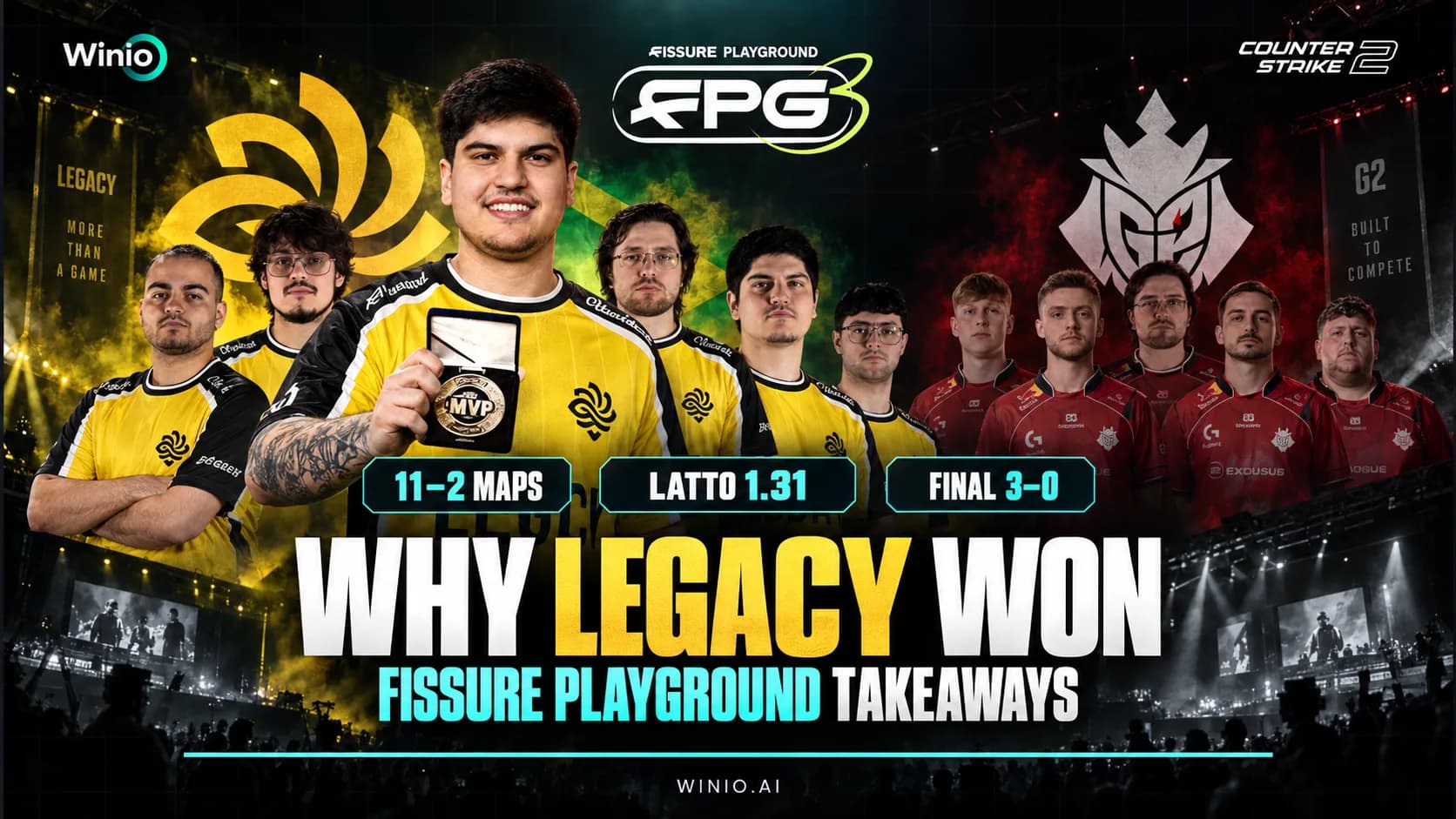
Why Legacy dominated FISSURE Playground #3, where G2 failed in the final, how 5star surprised the favorites and what the results mean for CS2.
September 17, 202609:26 AM10 min


Counter-Strike 2 is not just a game about precise shooting — it is also a discipline that requires a deep understanding of timings, utility lineups, and strategy. In many cases, the default round time settings are not enough for effective practice. Whether you are learning new smoke grenades on Mirage or practicing site executes with friends, it is essential to know how to control time in CS2.
In this article, we will explain how to use the csgo time command (yes, many commands were inherited from the previous version) to gain full control over your local match. You will learn how to change the round duration, warmup time, and bomb timer.
To adjust time settings in CS2, you will need to use server console commands. It is important to understand that in CS2, just like in its predecessor, time control is divided into several categories. Each command is responsible for a specific stage of the match.
Gamers Club Liga Serie A: September 2026
22.09 00:00
 RED Canids AcademyMIBR fe
Prediction: MIBR fe
NODWIN Clutch Series #12
Today 11:00
 G2 AresHonvéd
Using round time csgo commands in CS2 requires administrator permissions on the server (usually when hosting a local match). Most of these commands begin with the mp_ prefix, which stands for “match parameters.”
Before entering any csgo round time command, you need to make sure that the developer console is enabled. Without this tool, you will not be able to interact directly with the game’s engine and server settings.

If the console does not open, check your keyboard layout (it should be set to English) or assign a different key in the control settings.
Setting the round time is the foundation of any practice session. By default, a round lasts just under two minutes, which is clearly not enough for fully learning a map.
To change the round timer, use the mp_roundtime command. However, keep in mind that the game includes different map types (bomb scenarios and hostage scenarios), so you need to use the correct command depending on the map.
An important detail: if you simply enter the command in the middle of a round, the time will not change instantly. You need to restart the match for the new settings to take effect.
Console command sequence:
After the restart, you will see 60:00 displayed on the round timer. This is essentially the practical use of the csgo unlimited time command, since one hour is usually more than enough for any training session.

The warmup phase can often get in the way if you want to jump straight into practice, or, on the contrary, you may want it to be infinite. In CS2, warmup control has become even a bit more flexible than before.
Many players look for a way to make sure the warmup never ends when loading into a map. For this, the ideal solution is a combination of an extended warmup time and a paused timer.
For professional teams and players aiming for a high level, it is extremely important to develop a strong sense of the bomb timer. In competitive mode, the bomb explodes 40 seconds after being planted. However, in practice mode, you can change this value.
Use the following command: mp_c4timer [seconds]
Usage Examples:
Just like with the round timer, the changes will take effect in the next round or immediately after using mp_restartgame 1.

Other Useful Time Commands in CS2
In addition to the main settings, there are several supporting commands that make using csgo time commands much more effective. These parameters affect the overall flow of the game and help remove unnecessary delays during practice.
At the start of each round, players are frozen in place and cannot move. This time is normally intended for buying equipment, but during practice, it can be frustrating.
If you are practicing grenade lineups, you may need the ability to buy utility at any moment, even when far away from spawn.
This is a more advanced command that does not directly change round settings, but instead changes the speed at which time flows in the game.
To avoid entering all these commands manually every time (such as csgo round time settings or buy parameters), it is much better to create a .cfg file once and use it whenever needed.
Bash
sv_cheats 1
mp_roundtime 60
mp_roundtime_defuse 60
mp_maxmoney 60000
mp_startmoney 60000
mp_buytime 9999
mp_buy_anywhere 1
mp_freezetime 0
mp_warmup_end
sv_infinite_ammo 1
sv_grenade_trajectory_prac_pipreview 1
mp_restartgame 1
echo "--- THE TRAINING CONFIG IS LOADED ---"
Knowing how to set custom time in CS2 is the first step from being a casual player to a professional. By using the csgo time command, you save hundreds of hours that would otherwise be spent waiting for rounds to end or reloading maps.
Remember, the flexibility of settings is one of Source 2’s advantages. You can adjust everything: from 60-minute rounds for map exploration to ultra-short bomb timers for practicing high-pressure situations. Now that you know how to manage round time csgo settings in the new shooter, your training sessions will become far more productive.
All commands with the mp_ prefix (match parameters) require restarting the round or the entire match to take effect. Use mp_restartgame 1.
No, these commands only work on your local server (when creating a game via “Practice”) or on servers where you have administrator rights.
The maximum value for mp_roundtime is 60 minutes. If you need more, you’ll have to either restart the round or use commands to pause the timer.
Completely hiding the timer using console commands without modifying the HUD is difficult, but setting a very high time value effectively makes the timer irrelevant.
Most basic commands, like csgo round time, remain the same. However, in CS2, some commands have new subparameters, and trajectory visualization has become a built-in server feature.

G2 Ares
Honvéd

NAVI Junior

Bushido Wildcats
ex-RUSTEC

Azuolas

Lavked

ENCE

Color

UPGRADE

Vitality

FURIA

Team M3wsu

Team shoke
Vitality

MIBR
G2 Ares
Honvéd
NAVI Junior
Bushido Wildcats
ex-RUSTEC
Azuolas
Lavked
ENCE
Color
UPGRADE
Vitality
FURIA
Team M3wsu
Team shoke
Vitality
MIBR
G2 Ares
Honvéd
NAVI Junior
Bushido Wildcats
ex-RUSTEC
Azuolas
Lavked
ENCE
Color
UPGRADE
Vitality
FURIA
Team M3wsu
Team shoke
Vitality
MIBR