CS2 Pets Guide: How to Get and Hatch a Chicken Egg
Learn how to get a Chicken Egg in CS2, how pets hatch and grow, all discovered chicken breeds, Pet Book features and current drop details.
October 1, 202607:54 AM10 min

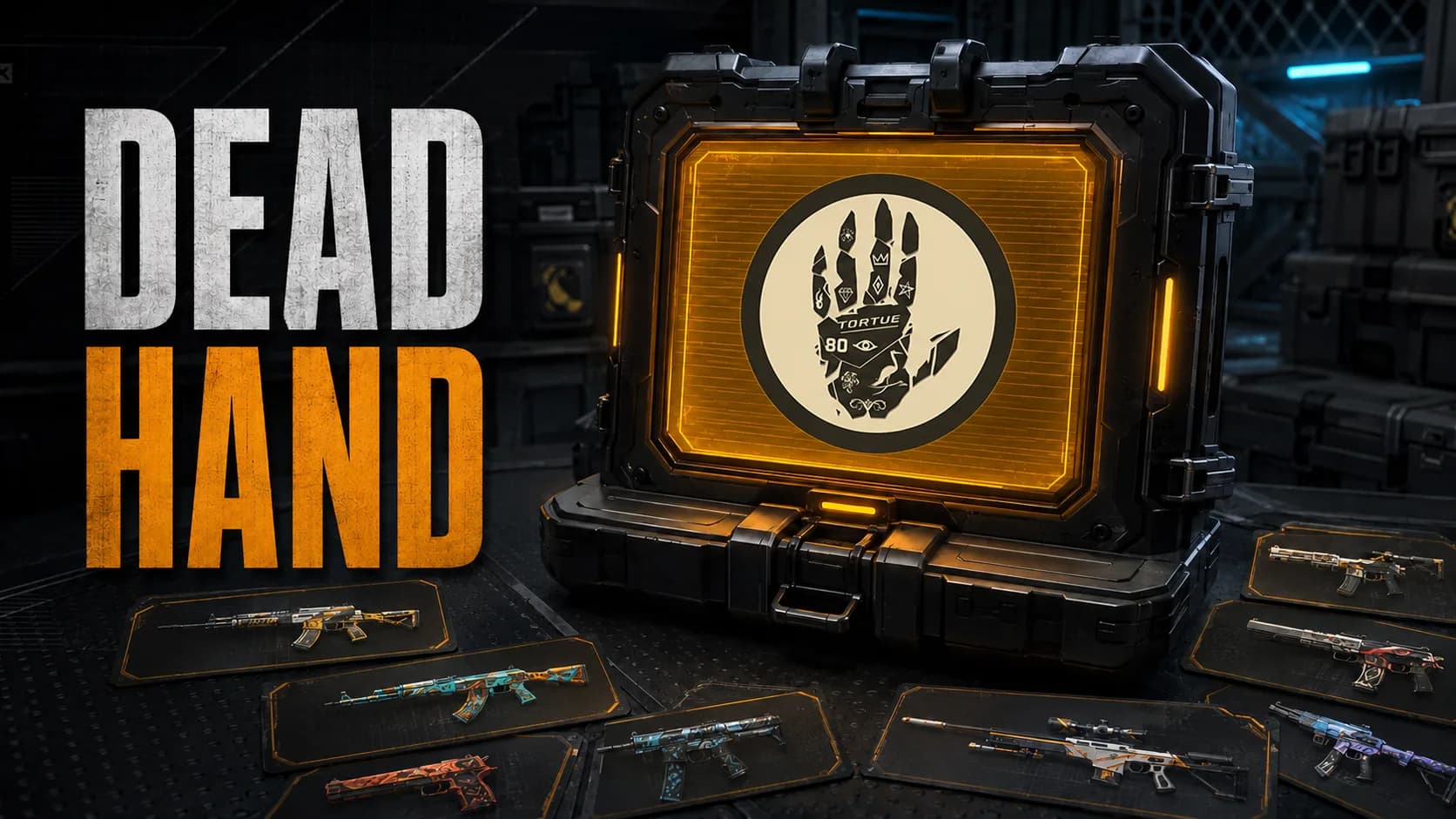
The Dead Hand Collection added 17 community-created weapon skins and 22 new glove finishes to Counter-Strike 2. Released on March 11, 2026, it became the second collection distributed through Valve’s Terminal system after the Genesis Collection.
Its main attraction is the glove pool. Dead Hand was the first Terminal to include Rare Special Items and introduced the first new glove finishes since Operation Broken Fang in 2020.
However, a Dead Hand Terminal does not work like a conventional weapon case. Opening it does not immediately place an item in your inventory. Instead, it presents several random offers that you can either purchase or reject.
The Dead Hand Collection contains 39 cosmetic items:
The weapon finishes were selected from community submissions. They cover several popular weapons, including the AWP, AK-47, Glock-18, M4A1-S, M4A4, Desert Eagle and USP-S.
The gloves are divided between three existing models: Driver Gloves, Specialist Gloves and Sport Gloves. There are no new glove models, but all 22 finishes are new.
Pulse Beat III
12.10 13:00
 Inner CircleSangal
Prediction: Inner Circle
ESL Pro League Season 24
LIVE
 VitalityNatus Vincere
A sealed Dead Hand Terminal can appear as a possible weekly drop. To become eligible for the weekly Care Package, players need Prime Status and must earn the required XP by playing on official servers.
The Terminal can also be obtained through:
The collection’s weapon skins and gloves do not appear directly in the weekly Care Package. The possible reward is the sealed Terminal that provides access to them.
A sealed Terminal can be sold or traded without being opened. Once it has been unsealed, the offer process must be completed and the Terminal cannot be returned to its sealed state.
The Terminal does not require a key. Unsealing it starts a sequence of random offers from the Dead Hand Collection.
Each offer shows the relevant information before the player makes a decision:
The player can accept the current offer or reject it and move to the next one. A Terminal provides five standard offers in total.
Accepting an offer charges the displayed amount and adds the item to the inventory. The Terminal is then consumed, and the remaining offers are lost.
Rejecting all five offers also consumes the Terminal. In that situation, the player receives no item and no refund for the value of the sealed Terminal.
This means opening the Terminal itself is free, but obtaining a skin is not. The real cost includes both the value of the Terminal and the price of the accepted offer.
The Terminal offers more information and control than a conventional case, but it does not remove randomness.
| Feature | Dead Hand Terminal | Weapon case |
|---|---|---|
| Key required | No | Yes |
| Result visible before payment | Yes | No |
| Number of standard offers | Five | One result |
| Item guaranteed | No | Yes |
| Result can be rejected | Yes | No |
| Separate purchase required | Yes | No |
| Rare Special Items | 22 gloves | Depends on the case |
| Original Owner certificate | Yes | No |
A case guarantees an item after the case and key are consumed, although the item is usually worth less than the opening cost. A Terminal allows the player to reject bad offers, but rejecting everything means losing the Terminal without receiving anything.
Items purchased through a Terminal receive an Original Owner certificate. This records that the player obtained the item directly through the Terminal rather than purchasing an existing copy from another user.
The certificate does not change the weapon, its appearance or its performance. It is a provenance marker intended primarily for collectors.
Buying the same skin from the market does not make the buyer its original owner. Players who care about the certificate therefore need to obtain and accept the item through a Terminal.
The collection follows the familiar case-style rarity distribution.
| Rarity | Weapon | Skin |
|---|---|---|
| Covert | AWP | Queen’s Gambit |
| Covert | Glock-18 | Fully Tuned |
| Classified | AK-47 | Crane Flight |
| Classified | P250 | Kintsugi |
| Classified | P90 | Deathgaze |
| Restricted | M4A1-S | Electrum |
| Restricted | Desert Eagle | Firebreathing |
| Restricted | Galil AR | Galigator |
| Restricted | MP7 | Amberline |
| Restricted | MP9 | Urban Sovereign |
| Mil-Spec | USP-S | Silent Shot |
| Mil-Spec | M4A4 | Zubastick |
| Mil-Spec | Five-SeveN | Dark Polymer |
| Mil-Spec | PP-Bizon | RMX |
| Mil-Spec | UMP-45 | Fragment |
| Mil-Spec | Sawed-Off | Fusion |
| Mil-Spec | M249 | Bock Blocks |
Every weapon skin is available in Normal and StatTrak versions. The full wear range is also represented, from Factory New to Battle-Scarred.
The collection does not have a dedicated Souvenir package. Dead Hand skins listed as Souvenir on some database pages should not be confused with the regular Terminal versions.
Queen’s Gambit is one of the two Covert items and the headline weapon skin of the collection. It combines an ornate dark base with gold detailing and chess-inspired imagery.
The AWP’s popularity makes it one of the collection’s natural high-demand items. Its value varies significantly with wear, while StatTrak and low-float versions carry additional premiums.
The second Covert skin is Glock-18 | Fully Tuned. Its mechanical design uses exposed components, technical markings and bright details to create a heavily modified appearance.
Because the Glock is the default Terrorist-side pistol, the skin remains visible across a large number of matches. That gives it broader practical demand than many expensive finishes for less frequently used weapons.
Crane Flight is the collection’s most prominent Classified skin. It uses a restrained Japanese-inspired composition with cranes, a pale base and contrasting red elements.
Although it sits below the two Coverts in rarity, demand for AK-47 skins can make it one of the collection’s most notable items. It also offers a more understated alternative to many brightly colored modern AK finishes.
The P250 skin takes inspiration from kintsugi, the Japanese practice of repairing broken ceramics with visible gold seams. The weapon appears divided into fragments held together by metallic lines.
Its design connects naturally with the broader Japanese influence visible across several Dead Hand items. It is also one of only three Classified skins in the collection.
M4A1-S | Electrum and Desert Eagle | Firebreathing provide Restricted options for two widely used weapons. Both are easier to encounter than the Classified and Covert finishes.
USP-S | Silent Shot is particularly detailed for a Mil-Spec skin. M4A4 | Zubastick also gives players an inexpensive finish for a primary rifle, while the remaining Mil-Spec items cover several SMGs and lower-frequency weapons.
The collection introduces eight Driver Gloves, seven Specialist Gloves and seven Sport Gloves.
| Glove model | Finishes |
|---|---|
| Driver Gloves | Brocade Crane, Brocade Flowers, Dragon Fists, Garden, Hand Sweaters, Plum Quill, Seigaiha, Wave Chaser |
| Specialist Gloves | Big Swell, Blackbook, Chocolate Chesterfield, Cloud Chaser, Lime Polycam, Pillow Punchers, Sunburst |
| Sport Gloves | Blaze, Creme Pinstripe, Frosty, Occult, Red Racer, Ultra Violent, Violet Beadwork |
Gloves do not have StatTrak versions. Their value is determined primarily by model, finish, wear and float.
Sport Gloves have historically attracted strong collector demand, but individual designs can matter more than the glove category alone. Finishes such as Ultra Violent, Occult, Pillow Punchers and Wave Chaser are among the collection’s visually distinctive high-tier targets.
Valve has not published Dead Hand-specific probabilities. The commonly used estimates assume that individual Terminal offers follow the standard CS2 rarity distribution.
| Rarity | Estimated chance per offer | Chance to see at least one in five offers |
|---|---|---|
| Mil-Spec | 79.92% | 99.97% |
| Restricted | 15.98% | 58.1% |
| Classified | 3.20% | 15.0% |
| Covert | 0.64% | 3.16% |
| Gloves | 0.26% | 1.29% |
Under those assumptions, a player would see a glove offer in approximately one out of every 77 Terminals when using all five offers.
This does not mean the player receives free gloves every 77 Terminals. It only estimates how often the purchase opportunity may appear. The displayed price must still be paid to create the item.
The figures are community estimates rather than confirmed Valve probabilities and should not be treated as guaranteed results.
Weapon skins from the collection can be used in standard Trade Up Contracts.
When every input comes from Dead Hand, the possible outputs are straightforward:
Using only Dead Hand inputs gives each Restricted output a base 20% chance, each Classified approximately 33.3%, and each Covert 50%.
Collections can also be mixed in a contract. When they are, the input composition changes the possible output pool and the probability of receiving an item from Dead Hand.
Five regular Covert skins from the collection can be exchanged for one Dead Hand glove. The result is randomly selected from the 22 available finishes, while its wear is influenced by the input floats.
StatTrak Coverts cannot be used to obtain Dead Hand gloves because gloves do not have StatTrak versions. Trade-ups are permanent, so the possible outcomes and input values should be checked before confirmation.
Terminal offers also contribute to the Collection Catalog. The system tracks which items from each rarity have appeared during Terminal sessions.
Players can claim 5,000 XP after completing a rarity tier. An item only needs to appear in an offer; it does not need to be purchased.
Dead Hand contains five tracked tiers when the glove pool is included, allowing players to claim up to 25,000 XP. For the gold tier, seeing any glove offer completes the requirement rather than requiring all 22 finishes.
Progress can accumulate across multiple Dead Hand Terminals. It does not need to be completed during a single offer sequence.
Opening a Terminal makes sense primarily for players who enjoy the offer system or want a chance to become the original owner of an item.
It is usually not the most efficient way to obtain a specific skin. The desired item may never appear, and even a successful offer requires an additional payment. The Terminal itself also has market value that is lost once it is unsealed.
Buying directly has several advantages:
Before accepting an offer, compare its price with current listings for the same skin, condition and StatTrak status. Terminal prices and market prices can move independently, so an offer is not automatically a discount.
The Dead Hand Collection is significant not only because it added 17 weapon skins, but because it brought 22 new glove finishes into CS2 through Valve’s evolving Terminal system.
Its flagship items include AWP | Queen’s Gambit, Glock-18 | Fully Tuned and AK-47 | Crane Flight, while the glove pool introduces new options across Driver, Specialist and Sport models.
The Terminal provides more choice than a conventional case, but it does not guarantee better value. Players can inspect and reject offers, yet every accepted item still has a price—and rejecting all five leaves them with nothing.

Vitality
Natus Vincere
ex-RUSTEC

Enjoy

BetBoom

M80

UNiTY

Nice Try

Turma do Pagode

Bounty Hunters

Phoenix

BEE

EAC

Lavked

fnatic

Phantom
Prediction: fnatic wins
Vitality
Natus Vincere
ex-RUSTEC
Enjoy
BetBoom
M80
UNiTY
Nice Try
Turma do Pagode
Bounty Hunters
Phoenix
BEE
EAC
Lavked
fnatic
Phantom
Prediction: fnatic wins
Vitality
Natus Vincere
ex-RUSTEC
Enjoy
BetBoom
M80
UNiTY
Nice Try
Turma do Pagode
Bounty Hunters
Phoenix
BEE
EAC
Lavked
fnatic
Phantom
Prediction: fnatic wins